Want to take your Instagram strategy to the next level? A smart content schedule is your secret weapon. By planning and timing your posts perfectly, you save time, stay consistent, and keep your followers hooked.
Whether you’re a solo creator or managing multiple profiles, this guide shows you “what is the Instagram content schedule” and how to harness the power of planning tools to grow your audience effortlessly in 2026. Elevate your game with a killer schedule; Discover the secret today!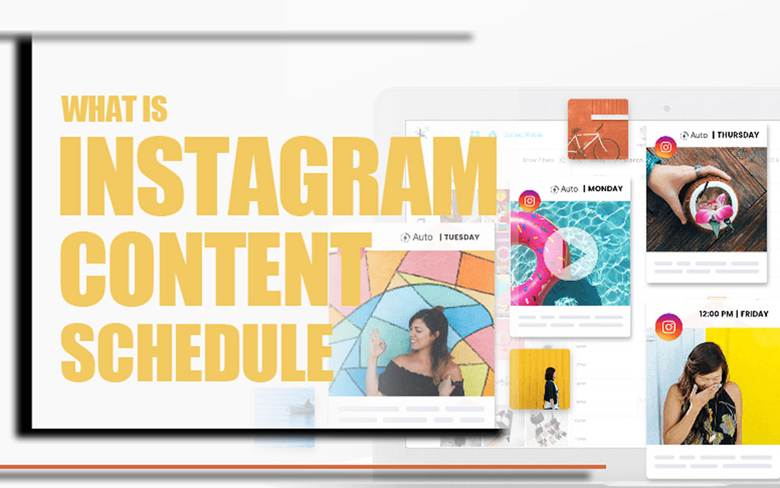
How to Schedule Instagram Content for Free?
Managing your Instagram presence effectively means not only knowing why you should post consistently but also having a reliable way to plan your content.
By mastering your Instagram content schedule, you can save time, maintain a consistent Instagram scheduled posting plan, and take advantage of advanced features like a visual content planner and social media management tool to maximize efficiency and support long-term Instagram growth.
Before every note to learn, consider that if you ever need to save your scheduled posts, Reels, or Stories for later reference, our offer to you have look at ucmini Instagram downloaders, the safest and easiest tools to save any Instagram content without losing quality.
Here are some of the best ways to schedule Instagram content for free:
1. Use Instagram’s Built-In Scheduler
Instagram now allows users to schedule feed posts and Reels directly in the app. This tool is perfect for creators and brands who want simple Instagram scheduling without relying on external tools.
To use it, you’ll need an updated Instagram app, a Creator or Business account, and content ready to upload. Note that Stories cannot be scheduled natively, and cross-posting is limited to Meta platforms.
To schedule a post:
- Tap the “+” icon and select your image or video.
- Add your caption, hashtags, location, and collaborators.
- Scroll to More options and toggle on Schedule this post or Schedule this Reel.
- Pick your date and time, then tap Schedule.
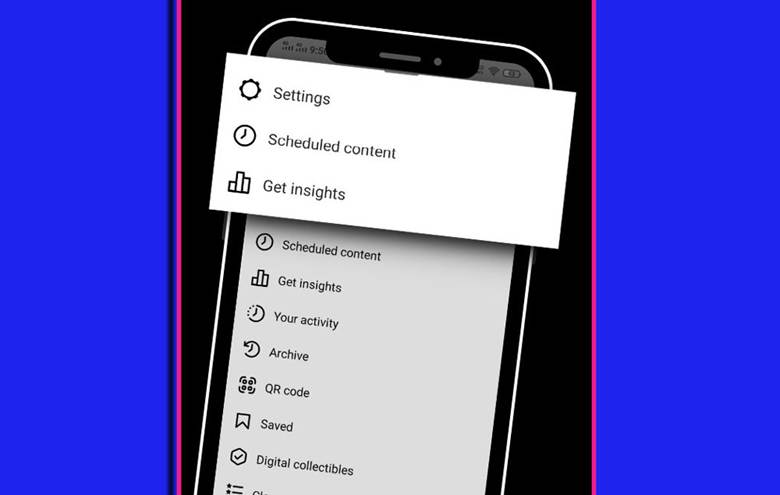
You can also edit or delete scheduled posts by going to your profile > menu > Scheduled content, and using the three-dot menu to edit, reschedule, delete, or post immediately.
2. Using Buffer Instagram Scheduling
For more flexibility, using Buffer scheduling is a great choice. Buffer is ideal for social media automation and improving Instagram audience growth.
It also helps you maintain a consistent Instagram content schedule and offers a content scheduling tool to organize posts and preview your Instagram grid layout.
With Buffer, you can:
- Schedule posts, Reels, and Stories.
- Plan content across multiple platforms.
- Monitor performance with Instagram analytics.
- Choose between auto-publish or notification publishing.
- Improve captions with AI tools.
3. Use Meta Business Suite
Meta Business Suite allows scheduling Instagram posts and Reels while also cross-posting to Facebook. Link your Instagram Business or Creator account to a Facebook Page, create posts, upload media, add captions, hashtags, and geotags, then schedule them up to 90 days in advance.
You can also see recommended optimal posting times.
4. Use Sprout Social
Sprout Social is ideal for managing multiple accounts or professional-level features. You can schedule posts, Reels, Carousels, and Stories, and use a drag-and-drop content planner to maintain a consistent Instagram content schedule.
The platform also provides advanced analytics, helping you track performance, monitor audience engagement, and make data-driven content decisions. Collaboration is simplified, allowing team members to review, provide feedback, and approve posts efficiently.
Additionally, Sprout Social supports cross-posting to other social media platforms, ensuring your campaigns are consistent and well-coordinated across channels.
Read more: If your scheduled posts aren’t publishing or displaying properly, don’t worry our comprehensive Instagram 2026 update bug fix guide to quickly fix the problem and keep your content publishing flowing without interruption.
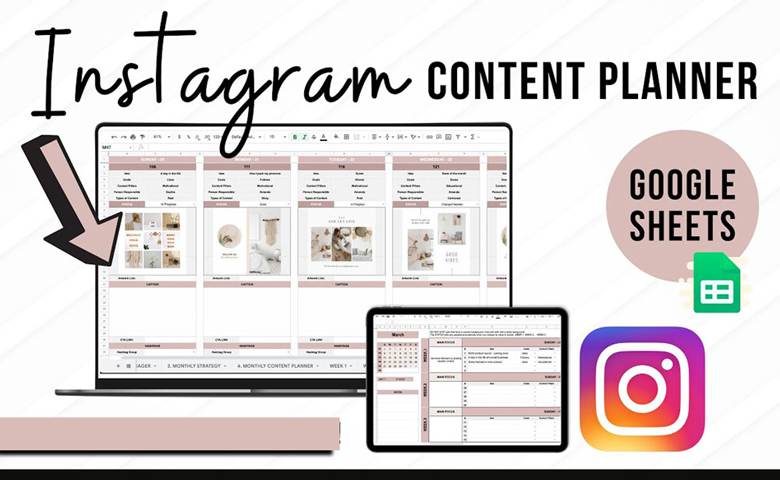
(8) Reasons You Should Schedule Instagram Posts
Whether you’re managing one Instagram account or several, using an Instagram scheduler to plan your content can transform the way you manage social media.
A well-organized Instagram content schedule not only saves time but also helps you maintain consistency, improve engagement, and strengthen your brand presence. By planning ahead, you reduce last-minute stress, avoid posting errors, and ensure your content reaches your audience at the best possible times.
Here are eight key reasons why scheduling your Instagram posts is a smart strategy:
- Save Time with Content Batching: Batching your posts allows you to create multiple pieces of content at once, saving hours each week and reducing mental fatigue. Scheduling frees up time for strategy, audience engagement, and creative work, making your workflow more efficient.
- Boost Posting Consistency: A regular posting routine is essential for building trust with your audience and increasing visibility. Scheduled posts keep your posting schedule on track and ensure followers know when to expect content.
- Perfect Your Grid Layout: Planning content ahead allows you to design a cohesive feed, strengthening your branding and creating a professional, visually appealing profile that attracts and retains followers.
- Create from Desktop: Tools like Buffer or Hootsuite let you manage your content calendar from your desktop. You can upload media, edit posts, and organize content efficiently, which is especially useful for larger accounts or teams.
- Boost Engagement and Streamline Collaboration: Automating posts allows you to focus on real-time audience interaction, responding to comments and messages, and building stronger community relationships. For teams, scheduling tools simplify collaboration, feedback, and approval processes, ensuring consistent messaging across platforms and campaigns.
- Seamless Multi-Platform Campaigns: Social media scheduling helps align content across Instagram, Facebook, TikTok, and other channels, ensuring a unified marketing message and a consistent brand voice.
Instagram Content Planner Comparison (2026Update)
| Feature / Tool | Instagram Built-in Scheduler | Buffer | Meta Business Suite |
| Best For | Individual creators & small businesses | Agencies & advanced users | Brands managing both Instagram & Facebook |
| Scheduling Options | Feed posts & Reels only | Feed, Reels, Stories | Feed posts & Reels |
| Cross-Platform Posting | Limited to Meta platforms | Yes (Instagram, TikTok, X, Facebook, LinkedIn) | Yes (Instagram + Facebook) |
| Analytics & Insights | Basic (reach, engagement) | Advanced (engagement, click rate, growth trends) | Moderate (reach, impressions, engagement) |
| Visual Planner (Grid Preview) | ❌ | ✅ | ✅ |
| Auto Publish | ✅ | ✅ | ✅ |
| Team Collaboration Tools | ❌ | ✅ | ✅ |
| Cost | Free | Free + Premium plans | Free |
| Ease of Use | ⭐⭐⭐⭐☆ | ⭐⭐⭐⭐⭐ | ⭐⭐⭐⭐☆ |
| Best Feature Highlight | Native & easy to use | AI caption + content optimization | Unified control for Meta apps |
Be careful if you want to schedule your posts well and not exceed Instagram’s daily limits, study the Instagram Limits Guide 2026 to plan with confidence.
How to Build an Instagram Content Schedule That Actually Works
Scheduling a post is easy. Building a schedule that keeps your content useful, varied, and consistent is the harder part.
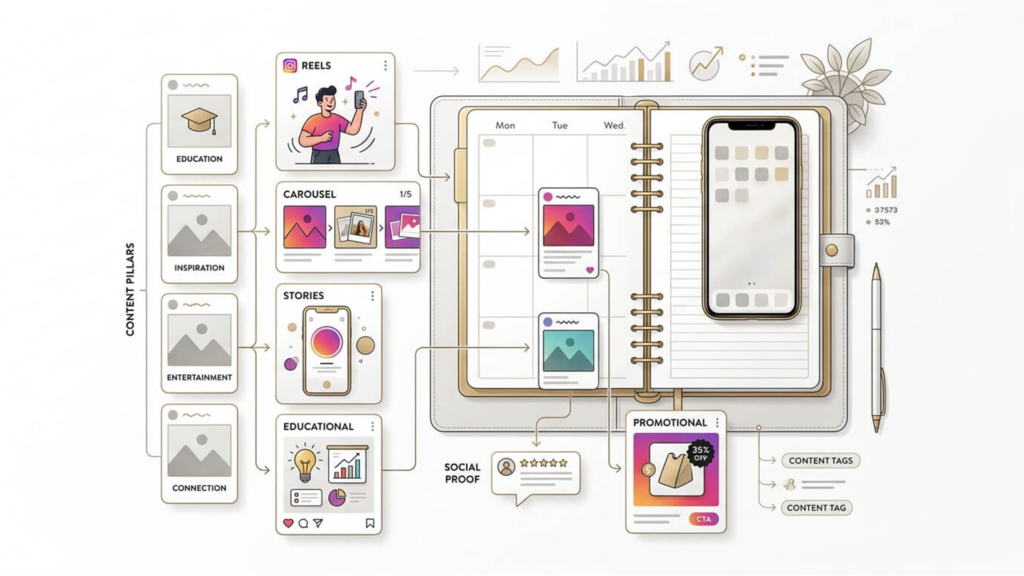
A good Instagram content schedule should answer four simple questions:
What are you posting? Who is it for? Why are you posting it? When should it go live?
You can build a practical schedule without filling every day with content. The goal is to create a system you can maintain.
Start With 3 to 5 Content Pillars
Content pillars are the main themes you regularly talk about on Instagram. They prevent your calendar from becoming a random collection of posts.
For example, a fitness creator might use:
-
Educational tips
-
Workout demonstrations
-
Client results
-
Personal or behind-the-scenes content
-
Promotional offers
A small business could use a completely different mix.
The important part is that each pillar has a clear purpose and connects to what the audience actually wants to see.
Choose a Content Mix
Once your pillars are clear, decide how often each type should appear.
You might build a weekly schedule like this:
| Day | Content Type | Example Goal |
|---|---|---|
| Monday | Educational Carousel | Teach something useful |
| Tuesday | Reel | Reach new people |
| Wednesday | Stories | Start a conversation |
| Thursday | Social Proof | Build trust |
| Friday | Reel or Post | Promote an offer |
| Saturday | Stories | Share behind the scenes |
| Sunday | No scheduled post | Review performance and plan |
This is only a starting point. Your schedule should change based on your audience, resources, and results.
Batch Your Content Instead of Creating Every Day
One of the easiest ways to make a schedule sustainable is to separate planning, creation, and publishing.
For example:
Day 1: Choose topics and write ideas.
Day 2: Create Reels, photos, and carousels.
Day 3: Write captions, review everything, and schedule the finished content.
You can then spend the rest of the week engaging with your audience instead of constantly wondering what to post next.
Batching also makes it easier to notice repetitive topics, weak ideas, or too many promotional posts before they reach your audience.
Don’t Schedule 100% of Your Content
A content schedule should give you structure, not lock you into a rigid plan.
Leave some space for content that needs to be created quickly. A trending topic, unexpected customer question, industry news, or behind-the-scenes moment may be more valuable when posted immediately.
A useful approach is to plan most of your content in advance while keeping some room for real-time posts.
Planned content gives you consistency. Flexible content keeps your account relevant.
Review Your Schedule Every Week
Your content calendar should not be a document you create once and forget.
At the end of each week, look at which posts generated meaningful results. Pay attention to saves, shares, comments, profile visits, website clicks, and other metrics that match your goals.
Then use those results to shape the next week’s schedule.
The process becomes:
Plan → Create → Schedule → Publish → Measure → Improve
That feedback loop is what turns an Instagram content schedule from a simple calendar into a real content strategy.
Ending Notes
In summary, think of your Instagram content schedule as your personal backstage pass to a smoother, stress-free social media life.
When you plan ahead, you’re not just saving time, you’re creating space to connect, inspire, and build real relationships with your followers. So, keep that rhythm going, and let your Instagram story unfold just the way you want it.
Have you ever tried scheduling your social media posts? What tools did you use? Do you prefer posting spontaneous content or sticking to a strict schedule? Why? What’s one thing you wish Instagram would add to make scheduling easier? Give us the scoop, we’re all ears!
How does Instagram’s scheduled content work?
You can plan posts in advance using Instagram’s native scheduler or third-party tools, and they automatically publish at the set time.
What is a content calendar for Instagram?
It’s a planned schedule that organizes when and what content you post to maintain consistency and engagement.
What is a good Instagram posting schedule?
A good Instagram content schedule posts consistently when your audience is most active, balancing images, Reels, and Stories.
How to schedule posts on Instagram from mobile?
Use Instagram’s built-in scheduling feature by creating a post and toggling “Schedule post” before choosing a date or time.
How to schedule posts on Instagram from a PC?
Use tools like Meta Business Suite or Buffer to upload, schedule, and publish posts from your desktop.