

Video Downloader Online
Find guidance for saving online videos you own or are authorized to download. Choose a supported source, use its available sharing link, and follow the instructions provided by the relevant tool. Download options depend on the platform, privacy settings, and the type of link.
Only save videos you own or have permission to download. Respect creators’ rights and each platform’s terms.
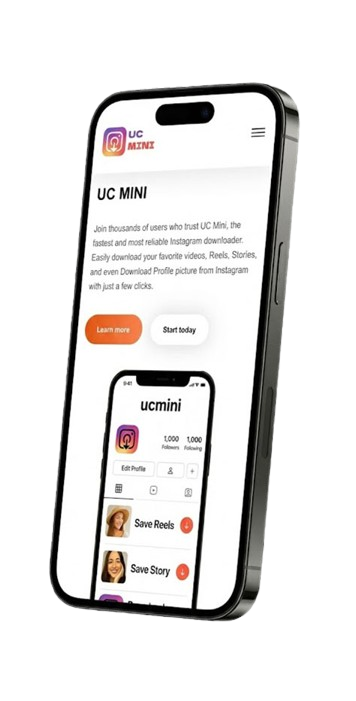

What is an online video downloader?
An online video downloader is a web tool that may help users save supported video content from a link. The available formats, quality options, and supported platforms vary from tool to tool, and some websites restrict downloading entirely.
Before using a tool, confirm that the video is publicly accessible and that downloading it is allowed. Private content, login-protected media, and videos protected by technical restrictions may not be supported and should not be accessed through bypass methods.
This page provides general guidance and links to a separate supported downloader page. It does not itself process video URLs or host copies of third-party videos.
How to use a video download tool
The exact steps depend on the source website and the tool you choose.
1. Copy an allowed link
Open the original post or video and use the platform’s share or copy-link option, when available.
2. Open a supported tool
Use a tool that explicitly supports the source. Paste the link only if the tool provides a working input field for that platform.
3. Review and save
Check the result and file details before saving. Do not open suspicious files or install unexpected apps or extensions.
Choose a safe and appropriate download method
Respect copyright
Download your own videos or content for which you have permission. A publicly viewable video is not automatically free to copy, repost, or redistribute.
Check supported sources
Not every downloader supports every platform, account type, or video format. Check the tool’s stated compatibility before using it.
Protect your device
Avoid tools that require unnecessary permissions, ask you to install unknown software, or redirect you through suspicious download buttons.
Know the limits
Private, restricted, deleted, or login-protected content may not be available. Do not try to bypass access controls or privacy settings.
Video downloader FAQs
Can I download any video with an online video downloader?
No. Support depends on the source platform, video availability, privacy settings, and the tool itself. Some platforms do not permit downloads through third-party tools.
Does this page download a video when I paste a link?
No. This is an informational landing page and does not process video links. Use a linked tool page only if it clearly supports your source and provides a working download feature.
Is it legal to download online videos?
It depends on the content, your permission or rights, local law, and the platform’s terms. Save content you own or are authorized to download, and do not redistribute it without permission.
Why does a video link not work?
The source may be unsupported, the link may be incomplete, or the content may be private, removed, or restricted. Copy the link again and check the supported sources listed by the tool.
Where can I download Instagram Reels?
Visit the Instagram Reels downloader page to check the available tool and its instructions. Use it only for content you own or are permitted to save.